
Feishin for Stream Deck
Control your music from your Stream Deck.
Play, skip, seek and set the volume in Feishin. For the Stream Deck app and for OpenDeck on Linux.

## Install
You need the Feishin desktop app, and Stream Deck 7.1 or newer on Windows 10+ or macOS 12+. On Linux, use OpenDeck.
- **Stream Deck app:** get it from the [Elgato Marketplace](https://marketplace.elgato.com/product/feishin-d55fd48d-f102-4d21-83ce-bc1ea12beeba).
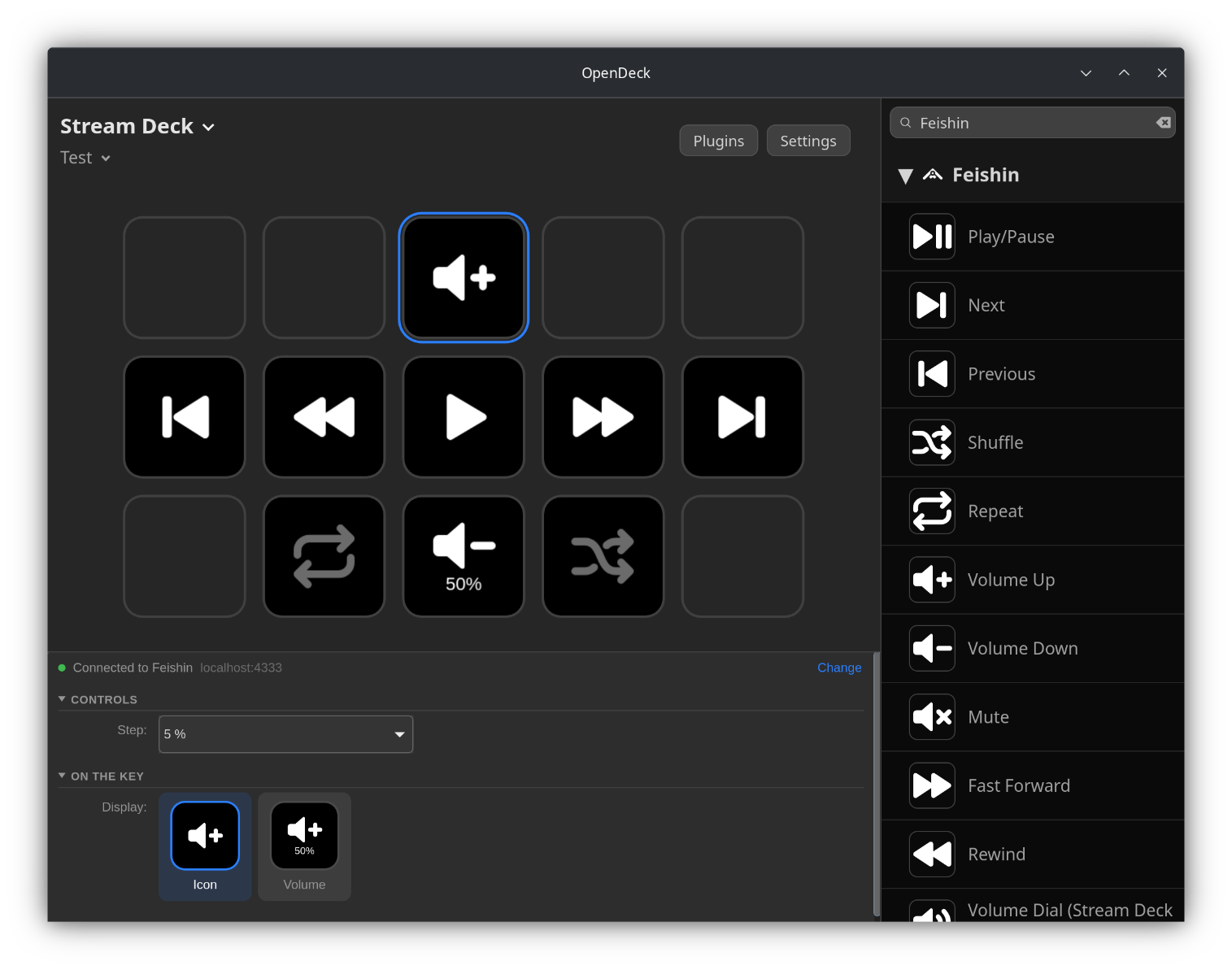
- **OpenDeck:** click **Plugins** and install **Feishin** from the **Plugin store**.
A plugin file
For OpenDeck on Linux (x86_64 and ARM): download the `.streamDeckPlugin` file from the [latest release](https://github.com/FeloDeck/Feishin-Plugin/releases/latest) and install it on the **Plugins** page. For the Stream Deck app, use the Elgato Marketplace.
Build it yourself
For the Stream Deck app, with Node.js:
```bash
npm install
npm run build # builds de.felitendo.feishin.sdPlugin/bin/plugin.js
npm run pack # creates dist/de.felitendo.feishin.streamDeckPlugin
```
`npx streamdeck link de.felitendo.feishin.sdPlugin` installs it in the Stream Deck app, and `npm run watch` rebuilds it on every change.
For OpenDeck on Linux, with Rust:
```bash
cd opendeck
make install # builds it and installs it into OpenDeck
make package # creates dist/de.felitendo.feishin.streamDeckPlugin (needs zig and cargo-zigbuild)
```
## How to use
1. In Feishin, open **Settings → Window → Remote** and turn on **Enable remote control server**.
2. Set the username to `feishin` and the password to `streamdeck`. Keep the port at `4333`.
3. Drag an action from **Feishin** onto a key.
You use other login details, another port, or Feishin runs on another PC? Click **Change** next to the connection status at the top of any key's settings. The settings apply to all keys.
If something is wrong, the settings tell you what to do, and the keys show **Feishin offline** or **Password?**. A warning on a key after a press means the command did not reach Feishin.
Feishin only reports its volume after the volume changes. If a volume key says the volume is unknown, change the volume in Feishin once.
## Actions
All 13 actions
| Action | What it does |
|---|---|
| Play/Pause | Play or pause. Shows the time left or played, and the album art if you like. |
| Next | Play the next track. |
| Previous | Play the previous track. |
| Shuffle | Turn shuffle on or off. |
| Repeat | Repeat off, repeat all or repeat one. |
| Favorite | Add the track to your favorites or remove it. |
| Volume Up | Volume up. Hold to keep going. Shows the volume. |
| Volume Down | Volume down. Hold to keep going. Shows the volume. |
| Mute | Mute or unmute. |
| Fast Forward | Jump 5 to 60 seconds ahead. Hold to keep going. |
| Rewind | Jump 5 to 60 seconds back. Hold to keep going. |
| Volume Dial (Stream Deck +) | Turn for volume, press to mute. |
| Seek Dial (Stream Deck +) | Shows the track and how far it is. Turn to seek, press to play or pause. |
Play/Pause, Shuffle, Repeat and Favorite show what Feishin is doing. The time and the volume can go above or below the icon, or you can hide them. Play/Pause can show the album art instead of its icon. Everything is in English and German.
## Credits
To the [Feishin](https://github.com/jeffvli/feishin) developers, and to the OpenDeck developers.
GPL-3.0-only.