
bottles-opener
Double-click a file and it opens in its Windows program.
FL Studio, Office, Photoshop, Ableton and anything else you run in Bottles.

## Install
```bash
yay -S bottles-opener
```
Needs `python3` with PyYAML and icoextract. Bottles needs both too.
## How to use
```bash
bottles-opener
```
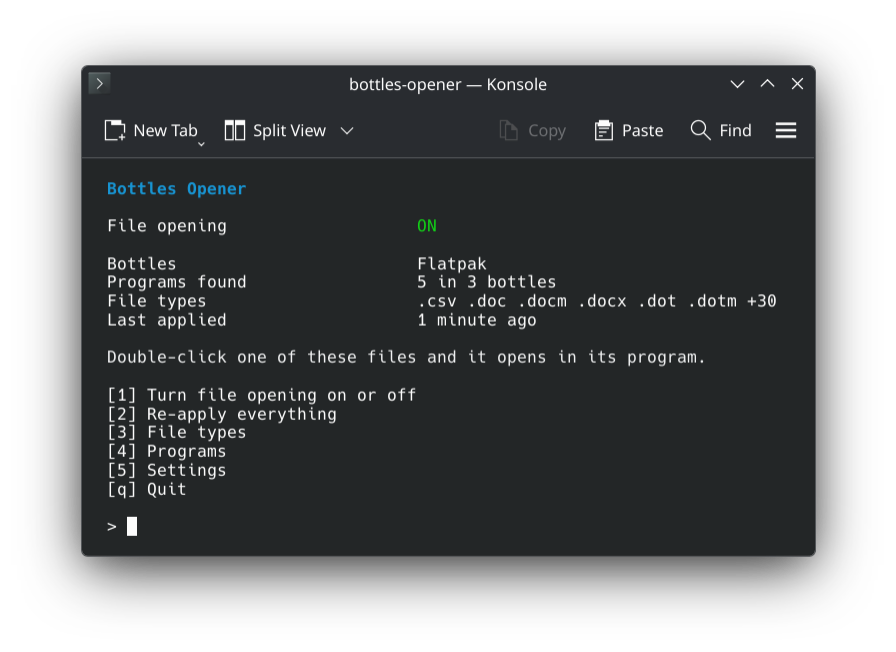
Press **1**. Your files _✨just open✨_ in their program, like on Windows.
File types
**3** lists every file type. Space switches between:
| | |
|---|---|
| double-click | Opens it in the program |
| Open With | Only listed in the right-click menu (when another app already opens it) |
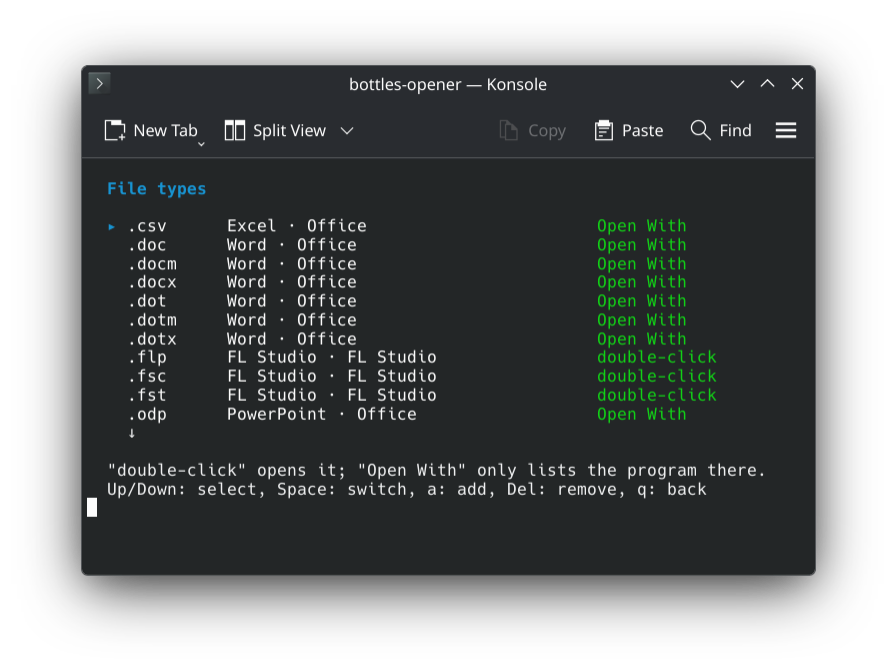
Your own file types: `bottles-opener add flp,fst "FL Studio"`
## More
How it works
| | |
|---|---|
| File types | Read from the bottle's registry, like Windows does. Known programs without entries come from a built-in list. |
| Icons | The ones Windows shows, taken from the program. |
| Opening | With the Windows path and the program's own switches, through `bottles-cli`. |
| Undo | `bottles-opener disable` puts back exactly what was there. |
Bottles 67 has file associations too, but it refuses extensions your system does not know (like
`.flp`), passes Linux paths and leaves the icons alone.
Commands
| | |
|---|---|
| `bottles-opener` | The menu |
| `… enable` | Turn on |
| `… disable` | Undo everything |
| `… apply` | Pick up new programs |
| `… status` | What is set up |
| `… list` | All file types and what opens them |
| `… programs` | All programs and their file types |
| `… add [bottle]` | Open file types with a program |
| `… remove [program]` | Stop opening file types |
Build from source
```bash
make
sudo make install
bottles-opener enable
```
`make install PREFIX=~/.local` works without root.
GPL-3.0-or-later.