
face-unlock
Face ID for Linux.

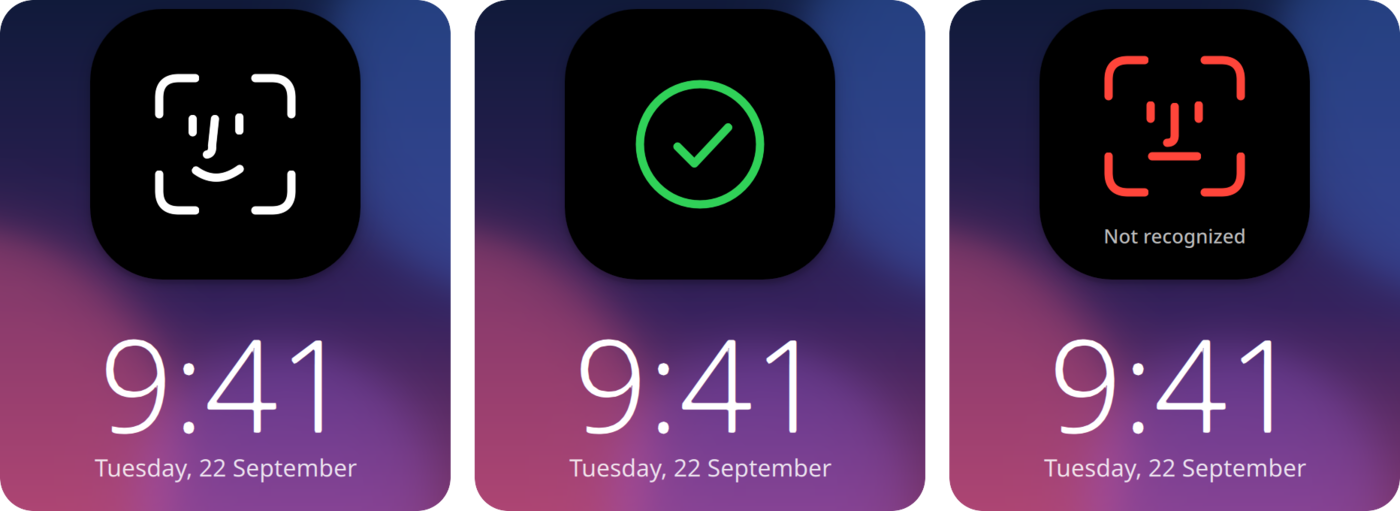
Unlock the lock screen, sudo and admin prompts with your face.
On KDE Plasma, GNOME, Hyprland and Niri.

## Install
Arch, CachyOS, EndeavourOS, Manjaro
```bash
yay -S face-unlock
```
Fedora
```bash
sudo curl -fsSL -o /etc/yum.repos.d/face-unlock.repo \
https://loonixtools.github.io/face-unlock/face-unlock.repo
sudo dnf install face-unlock
```
Debian, Ubuntu
```bash
codename="$(sed -n 's/^VERSION_CODENAME=//p' /etc/os-release)"
sudo install -d -m 0755 /etc/apt/keyrings
curl -fsSL https://loonixtools.github.io/face-unlock/KEY.gpg \
| sudo gpg --dearmor -o /etc/apt/keyrings/face-unlock.gpg
echo "deb [signed-by=/etc/apt/keyrings/face-unlock.gpg] https://loonixtools.github.io/face-unlock/deb/$codename ./" \
| sudo tee /etc/apt/sources.list.d/face-unlock.list
sudo apt update && sudo apt install face-unlock
```
Updates come with your system updates. It needs a camera and one of these
desktops, on Wayland:
| | Lock screen | sudo and admin prompts | Bubble |
|---|---|---|---|
| KDE Plasma 6 | ✅ | ✅ | ✅ above the lock screen too |
| GNOME | ✅ | ✅ | ✅ above the lock screen too |
| Hyprland | ✅ hyprlock, swaylock, gtklock, waylock, or face-unlock's own | ✅ | ✅ on face-unlock's own lock screen too |
| Niri | ✅ swaylock, hyprlock, gtklock, waylock, or face-unlock's own | ✅ | ✅ on face-unlock's own lock screen too |
On GNOME a small GNOME extension draws the bubble. Turning face unlock on
switches it on; right after installing, log out and back in once.
On Hyprland and Niri the lock screen is a program of your choice, and only it
can open itself. So face-unlock goes into its password check, as with sudo:
press Enter on the empty password field to scan. hyprlock and swaylock also
scan by themselves when you come back. Those lock screens cover the bubble,
which shows the tick once they are gone.
For the bubble on the lock screen, use face-unlock's own: `face-unlock lock`.
It shows the wallpaper of your desktop (from swaybg, awww, hyprpaper or
wpaperd). Under **Settings** you can pick a picture instead, or a folder to take
one from at random, blurred if you like.
Admin prompts and setting up a face need a polkit agent there (for example
hyprpolkitagent). Hyprland without uwsm does not start the part that watches
the lock screen by itself: the menu shows what to add to its config.
Hyprland and Niri: face-unlock's lock screen on a key
`~/.config/hypr/hyprland.conf`, and `lock_cmd` in `hypridle.conf`:
```ini
bind = SUPER, L, exec, face-unlock lock
```
`~/.config/hypr/hyprland.lua` (Hyprland 0.56 and newer):
```lua
hl.bind("SUPER + L", hl.dsp.exec_cmd("face-unlock lock"))
```
`~/.config/niri/config.kdl`, and `face-unlock lock` in swayidle:
```kdl
binds {
Mod+Alt+L { spawn "face-unlock" "lock"; }
}
```
`face-unlock lock` returns as soon as the screen is locked, so it also works
for locking before sleep.
Coming from plasma-face-unlock?
This is the same program with a new name. Your faces and settings move over
on their own. On Debian, Ubuntu and Fedora the repository moved too: remove the
old `plasma-face-unlock` repository file and add the new one above. On Arch,
`yay -S face-unlock` replaces the old package.
## How to use
```bash
face-unlock
```
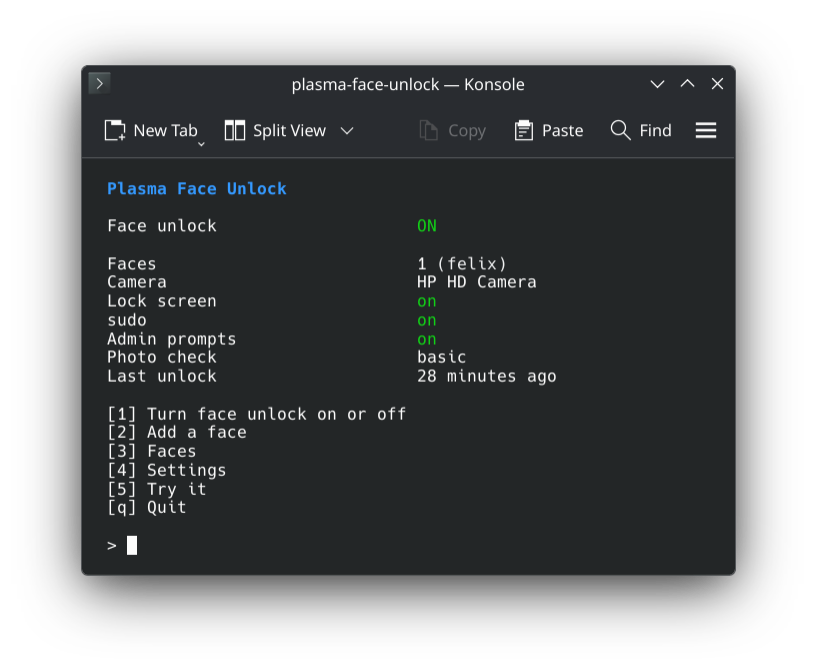
Press **1** and look at the camera. Then lock the screen and look at it.
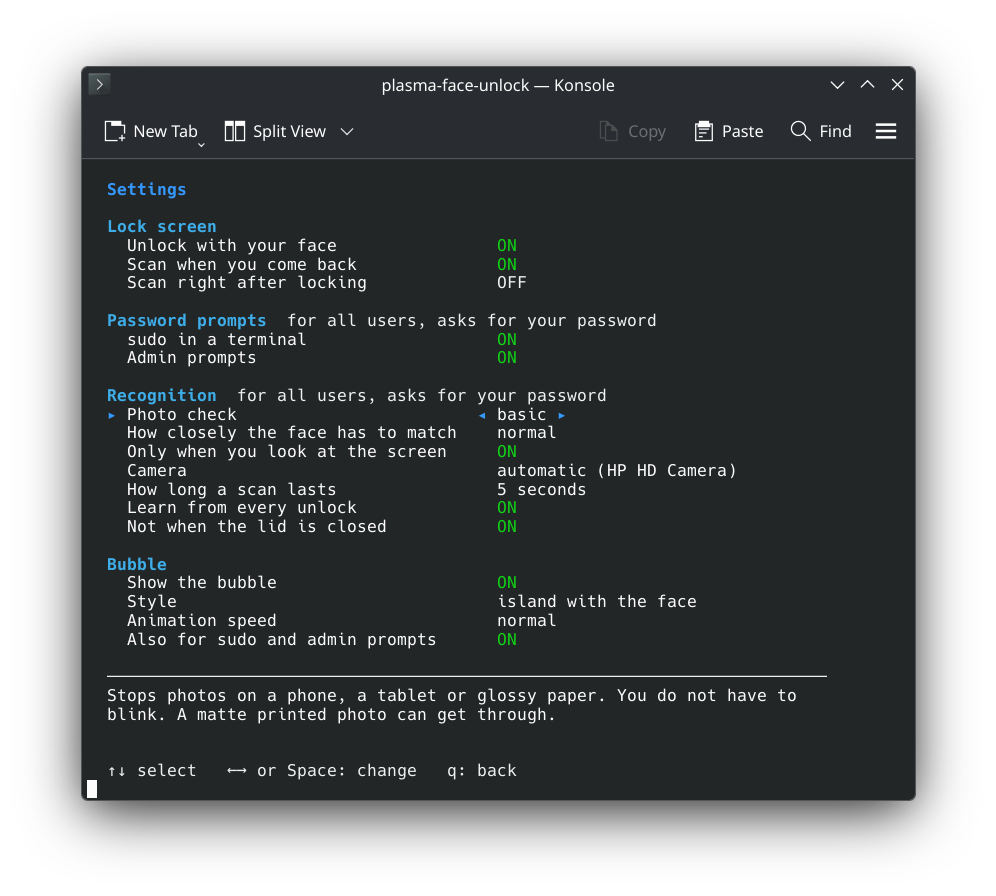
Settings
## Is it safe?
A convenience, not extra security. A webcam only sees a flat picture.
| | |
|---|---|
| Photo or video on a phone, tablet or glossy screen | ✅ Stopped |
| Matte printed photo | ⚠️ Only stopped with photo check *strict* |
| Video of you on a big matte screen | ❌ Can get in |
| Five failed tries | ⏸️ Paused for 15 minutes |
| Your face data | 🔒 Numbers, no pictures. Root only. |
| sudo over SSH | 🚫 Never unlocked by a face |
## More
How it works
| | |
|---|---|
| `face-unlockd` | The root service. Owns the camera and the face data. |
| `face-unlock-agent` | Runs in your session. Watches the lock screen, draws the bubble. |
| `pam_face_unlock.so` | Lets sudo and admin prompts ask the service. |
| `face-unlock` | The menu. |
Two small networks from the OpenCV model zoo run on the CPU: YuNet finds the face, SFace turns it
into numbers. All details: `man face-unlock`.
Build from source
```bash
make models
make
make test
sudo make install
```
Needs CMake, a C++20 compiler, Qt 6, LayerShellQt, KI18n, OpenCV 4.5.4+ (with DNN), Linux-PAM and
libsystemd.
## Credits
- [Glance](https://github.com/jonnyoo/glance) by Jonathan Zhou: the idea and the look of the bubble.
- [YuNet](https://github.com/opencv/opencv_zoo/tree/main/models/face_detection_yunet) and
[SFace](https://github.com/opencv/opencv_zoo/tree/main/models/face_recognition_sface) from the
OpenCV model zoo.
GPL-3.0-or-later.