
middleclick-autoscroll
Middle-click autoscroll in every app that supports it.
Browsers, Electron apps like Discord and Spotify, Steam and anything else built on Chromium.

## Install
Arch
```bash
yay -S middleclick-autoscroll
```
Fedora
```bash
sudo curl -fsSL -o /etc/yum.repos.d/middleclick-autoscroll.repo \
https://loonixtools.github.io/middleclick-autoscroll/middleclick-autoscroll.repo
sudo dnf install middleclick-autoscroll
```
Bazzite
```bash
sudo curl -fsSL -o /etc/yum.repos.d/middleclick-autoscroll.repo \
https://loonixtools.github.io/middleclick-autoscroll/middleclick-autoscroll.repo
sudo rpm-ostree install middleclick-autoscroll
systemctl reboot
```
Debian, Ubuntu
```bash
sudo install -d -m 0755 /etc/apt/keyrings
curl -fsSL https://loonixtools.github.io/middleclick-autoscroll/KEY.gpg \
| sudo gpg --dearmor -o /etc/apt/keyrings/middleclick-autoscroll.gpg
echo "deb [signed-by=/etc/apt/keyrings/middleclick-autoscroll.gpg] https://loonixtools.github.io/middleclick-autoscroll/deb ./" \
| sudo tee /etc/apt/sources.list.d/middleclick-autoscroll.list
sudo apt update && sudo apt install middleclick-autoscroll
```
openSUSE
```bash
sudo rpm --import https://loonixtools.github.io/middleclick-autoscroll/KEY.gpg
sudo zypper addrepo --gpgcheck --refresh \
https://loonixtools.github.io/middleclick-autoscroll/rpm middleclick-autoscroll
sudo zypper install middleclick-autoscroll
```
## How to use
```bash
middleclick-autoscroll
```
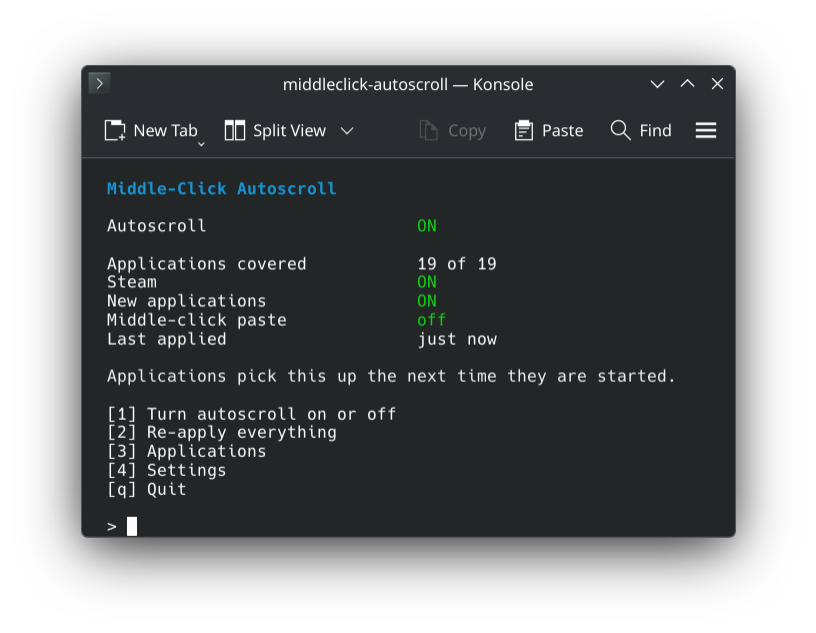
Press **1**. Autoscroll _✨just works✨_, like on Windows.
Applications
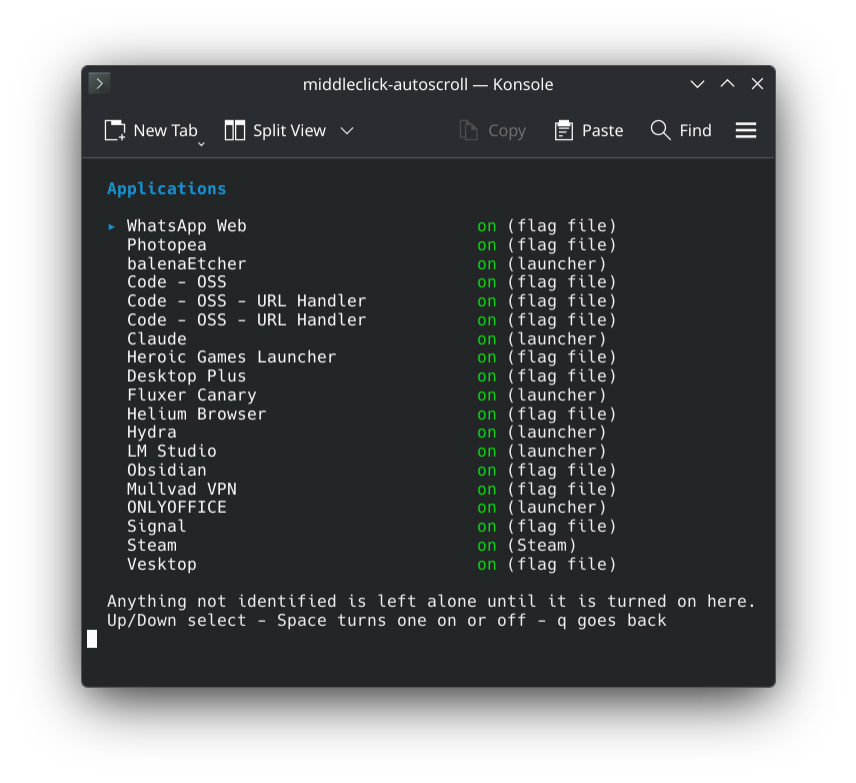
**3** lists every app it found. Space turns one on or off.
## More
How it works
Chromium, Electron and CEF all have autoscroll built in, but it is off on Linux. One flag turns it on:
```
--enable-blink-features=MiddleClickAutoscroll
```
Setting that for every app by hand is a pain and breaks with updates, so this tool does it for you.
New apps are picked up on their own. AppImages are covered too, without unpacking or starting them.
Commands
| | |
|---|---|
| `middleclick-autoscroll` | The menu |
| `… enable` | Turn on |
| `… disable` | Undo everything |
| `… apply` | Pick up new apps |
| `… status` | What is covered |
| `… list` | All apps and how they are handled |
Build from source
```bash
make
sudo make install
```
Optional: `msgfmt` for translations, `scdoc` for the man page.
GPL-3.0-or-later.